
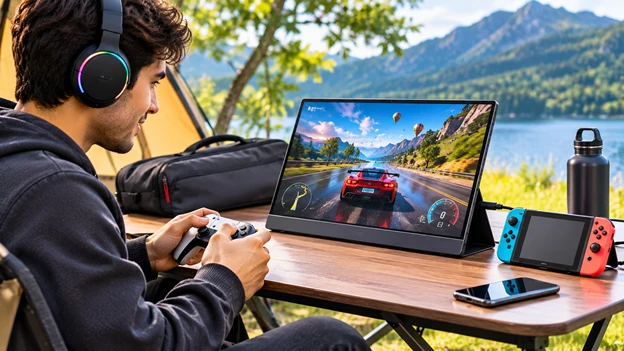
No longer is gaming relegated to those large, bulky, stationary desktop or TV screens. Most gamers want to be able to play some of their favourite games anywhere they go, whether they are on the road, visiting friends, or just away from home.
But a traditional desktop monitor isn’t typically an ideal solution. Its size, weight, and complex setup can make temporary gaming deployments difficult.
For those seeking a more portable option, there is the addition of a tiny monitor that combines a sleek design with advanced monitor technology and mobile connectivity. These portable displays can be connected to smartphones, gaming consoles, or even laptops.
What Makes Portable Monitors Suitable for Gaming?
Portable gaming screens incorporate a variety of features most monitors have, all for a fraction of the space! It’s much easier to carry and store a portable screen and is simpler to set up on narrow surfaces.
The majority of models have screen sizes ranging from 13-18 inches, but there are larger options. They can be Full HD, 1440p, or 4k resolutions with various refresh rates depending on the specifications. The ease of use and screen quality are good for both pro and casual gaming.
Key Benefits of Portable Monitors for Gaming on the Go
1. Lightweight Construction Makes Travelling Easier
Another benefit of portable displays is their compact dimension. Large size and the packaging for packaging and packaging are generally required in standard game monitor.
The small portable monitor will be compact enough to be stashed in the insert compartment of an appropriate laptop case or soft carry case. This enables gamers to create a travel gaming setup in a hotel room, hostel, or other indoor environment.
Some models include a built-in stand or cover for protection that facilitates easy placement without the need for clamps.
2. Compatibility With Multiple Gaming Devices
Gamers often use consoles, gaming laptops, and handheld gaming systems interchangeably. Having a display that is compatible with multiple devices means you don’t need a separate gaming monitor.
Most portable monitors also have HDMI and USB-C ports. A few of them will be capable of accepting HDMI signals from PlayStation and Xbox consoles, and some external USB-C connections may be capable of carrying video signals from a gaming notebook and handheld PC. The Switch and Switch OLED can connect via HDMI using their docks. The Lite does not connect to an outside TV.
3. High Refresh Rates Support Smoother Gameplay
The refresh rate of a display lets us know how many times per second it updates its image. This is especially noticeable in racing games and very competitive FPS games with rapid character movements.
A gaming portable monitor with 120Hz or 144Hz delivers a more fluid visual experience than a 60Hz screen when the source device outputs enough frames.
Certain PS5 titles are capable of playing at 120Hz on a compatible monitor, with gaming laptops offering even higher refresh rates. But higher refresh rates aren’t beneficial in all titles. The output device, connected hardware, and specific game can influence the outcome.
4. Better Visual Quality on Compact Screens
Your ability to see the graphical detail of specific games can be an important factor. Many of today’s portable monitors use both IPS and OLED panel types. IPS panels tend to have the most reliably consistent colours and viewing angles, while OLED screens typically have deeper blacks and contrast, with varying costs and other attributes.
Brands including UPERFECT provide external screens with various resolutions, screen sizes, and connectivity features. Some players who need to access complex graphics will want a screen with a higher resolution, whereas some competitors will require a higher refresh rate and response time.
5. Convenient Gaming in Limited Spaces
Not all gaming rooms or desks can accommodate a huge monitor. Students in dorms, people in temporary stay hotels or apartments, and shared bedrooms might not have much space to play with.
These portable monitors can fit on small desks or tables, not physically attached to a desk, so that they can be moved around. They also make it easy to clear a gaming space after gaming; they can be moved around the room.
6. Useful Beyond Gaming Sessions
Portable monitor options aren’t limited to games and movies. Many can also serve as a secondary display for laptops and take the place of a TV in some instances, used for studying, remote work, and computer applications. A gaming laptop connected to an extra monitor can also run games.
What Should Gamers Check Before Choosing a Portable Monitor?
Many technical issues should be taken into account before making a screen decision. The resolution and refresh rate must be suitable for the console used. HD/Full HD screens are suitable for smaller screens, and even higher-resolution screens offer a greater level of detail in the image.
Ease of use is crucial too. USB-C signals have to be compatible in order to transfer, and the HDMI port connections may need secondary power connections from the monitor. Other factors for device usability are built-in speakers, stand stability, response times, brightness, and accessory protection.
Battery-powered units may add to convenience, but the length of battery life also varies, depending on the display settings and how you use it. Several portable displays need to be plugged in.
Conclusion
Portable monitors offer a compromise between portability, visuals, and device support. With their sizes, portable monitors let you easily set up and take down the gaming experience on the go without lugging around a screen that’s too big. High refresh rate displays, connectivity options, and light build quality serve a variety of gaming needs.
Well, if you’re a gamer and your gaming setup is portable or your desk space is limited, then perhaps a good portable monitor is a much better alternative to your gaming monitor.